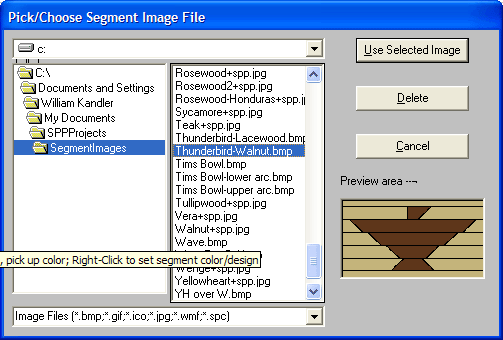
The Segment Images form allows you to choose almost any image file you want to use to paint/fill segments of your project to represent special segments you are going to make using a scroll saw, band saw, router, or some other tool/approach. In fact, if you can figure out a way to attach a photograph to the outside of a segment, this form will let you set up for viewing the picture on your project. 60 pictures of wood species and feature ring elements provided to get you started.
On the left side of the form, you will find a navigator you can use to find/select the image you want to use. Here is a sample of the dialog:
Clicking on an image file name, or scrolling throug the list will show you what each image looks like in the preview box in the lower right corner. Once you have chosen your image, just click the "Use Selected Image" pushbutton at the top of the form to select it for painting and return to the Segmented Project Planner primary display.